Use cases
One prompter, five recording jobs
Features describe what an app does. Use cases describe what you get done. Each page below walks through one recording job end to end: who it is for, what material goes in, the workflow from preparation to export, and the honest boundary of what the app does not do.
Last reviewed
Start with your question or workflow
Teaching and presenting
Selling and explaining
The same loop, three different sessions
How the three preparations differ
Every one of these is a person talking to a lens. What changes is script length, framing, and how much retaking you can stomach.
| Courses and lessons | Presentations and reports | Social and short-form | |
|---|---|---|---|
| Length per take | 5 to 12 minutes, split by concept | Whatever the time limit allows, worked backwards | 30 to 60 seconds |
| How the script is written | Close to verbatim, terminology exact | Spoken prose, written separately from the slides | Short lines, first sentence rewritten most |
| What fills the frame | Material as the main visual, face in a fixed corner | Slide as the main visual, face clear of the data | You, edge to edge |
| Recording pattern | Section by section, so one bad take is cheap | Slide by slide, joined afterwards | One take; if it fights you, rewrite rather than retry |
| Device that helps most | iPad for the wider prompt | Either, as long as the camera stays put | iPhone, up and recording in seconds |
Not sure which row you are in? Decide by who watches and for how long.
What every use case has in common
Two things hold no matter what you are recording. The script has to be rewritten for the mouth rather than the eye, and the length has to be settled before you write rather than after you shoot. The first decides whether the take sounds like a person; the second decides how many takes there are.
Both have a page of their own: how to use a teleprompter covers rewriting and setup, and the speaking time calculator turns a time limit into a word count before you write a line.
One layout, many kinds of session
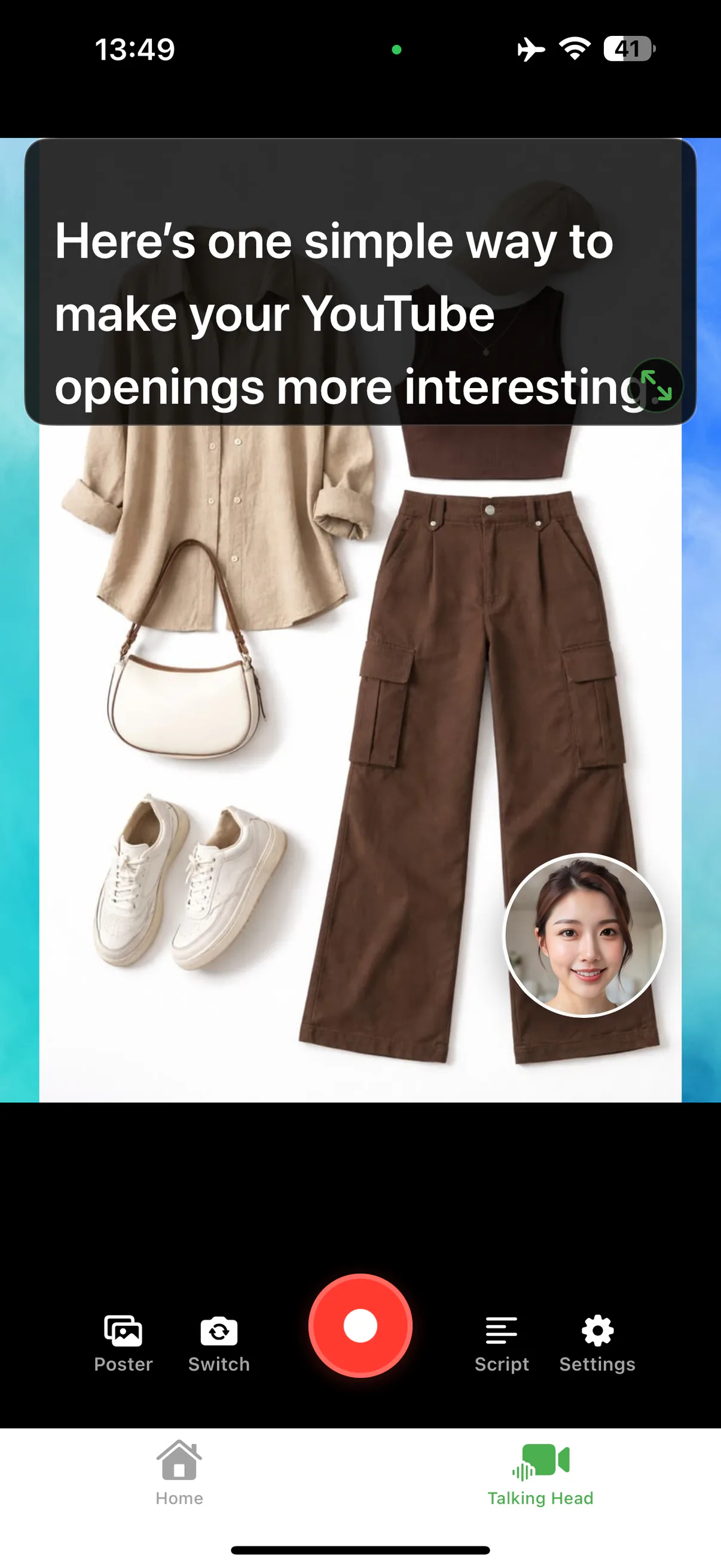
Which one is yours?
If you teach, start with course recording. If you present decks, start with the presentation recorder. For everything else, the talking-head recorder feature page covers the shared foundation.




Record your next video with AI Teleprompter
Download on the App Store and check the available trial. Record inside the app to export your video without the prompt.