Feature
A teleprompter app built for recording videos
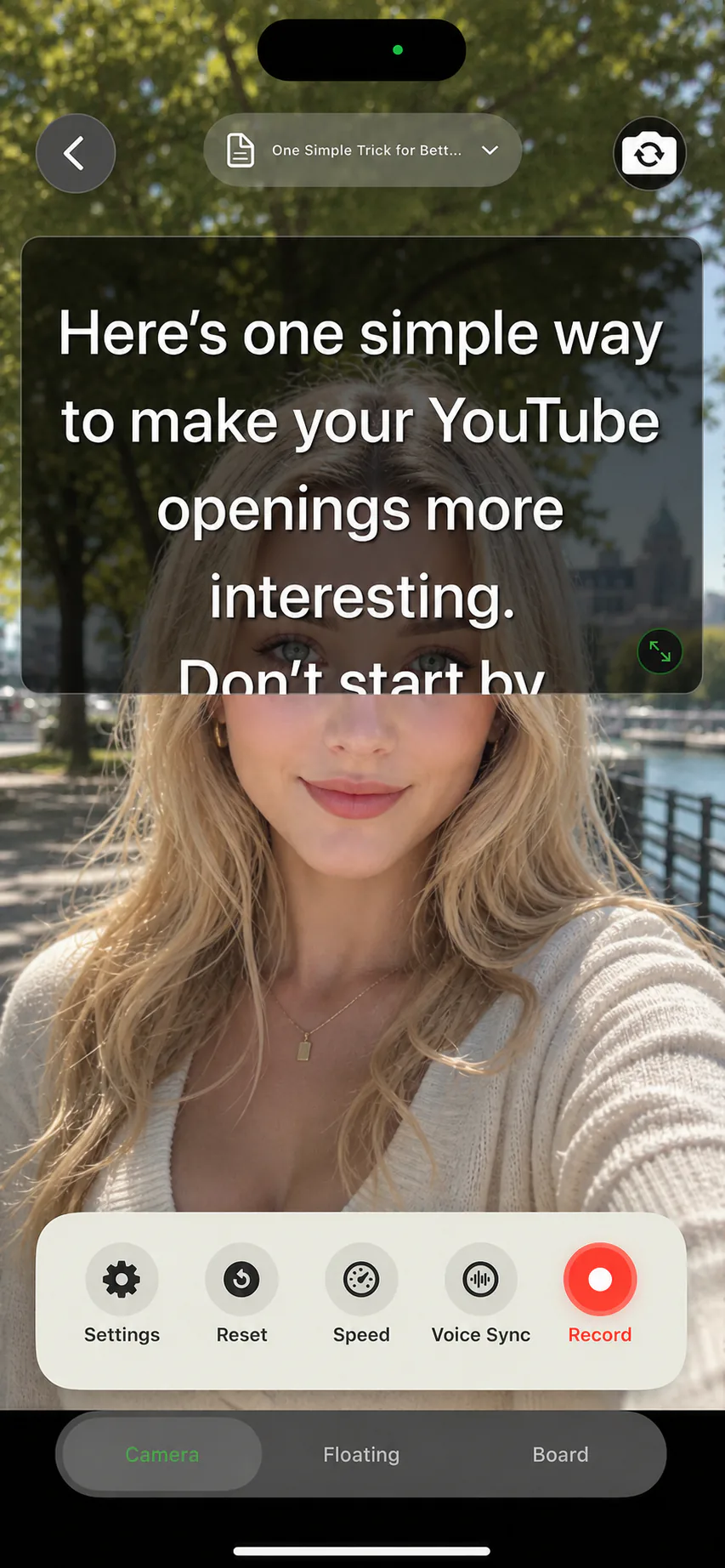
AI Teleprompter turns your iPhone or iPad into a recording companion that keeps your script moving at the speed of your voice. Import a script or a document, choose how you want to appear on camera, and record without memorizing a single line. The prompt is visible only to you and never appears in the finished video.
Last reviewed
What the app does
AI Teleprompter is a mobile teleprompter app for people who record themselves speaking: course creators, YouTubers, presenters, coaches, and anyone explaining something on camera. You write or import a script, and the app scrolls it while you record, so your eyes stay near the lens and your delivery stays on track.
Unlike a plain text scroller, the app is built around the full recording loop. Scripts live in a searchable library. Recording modes cover direct-to-camera delivery, picture-in-picture explanation with posters, and a floating prompt that hovers over other apps. Export finishes inside the app, with a preview and a save to your photo library.
- Create scripts from scratch or import PDF, Word, and TXT files
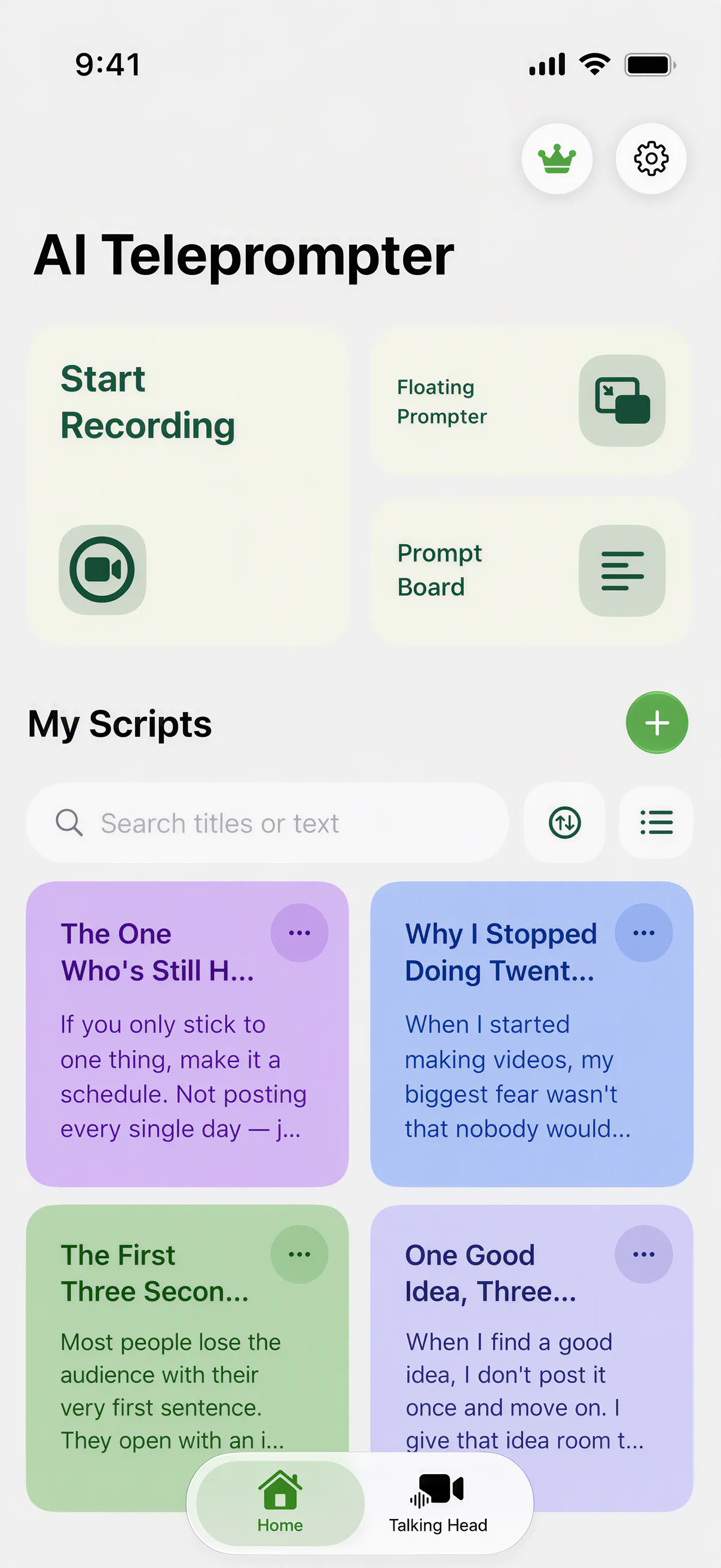
- Organize scripts by color and search titles or body text
- Read with Voice Sync, fixed-speed scrolling, or manual control
- Record direct-to-camera, picture-in-picture with posters, or over other apps
- Adjust font size, scroll speed, margins, and mirror mode per script

How it works
One take is the goal, so the workflow stays short: import, set up, speak, export.
Import your script
Write a new script or bring in a PDF, Word, or TXT document. The app turns it into a readable prompt with your preferred text size and layout.
Set up the prompt
Pick Voice Sync or a fixed speed, choose font size and margins, and decide whether the prompt sits over the camera preview, floats over another app, or fills a prompt board.
Speak naturally
Read at your own pace. Voice Sync follows your position in the script, waits when you pause, and catches up when you speed through a familiar line.
Export the video
Preview the take, retake if needed, and save the finished video. The prompt text is never burned into the recording.
Recording modes for different videos
Different videos need the prompt in different places. The app keeps the script readable in each one.
Direct-to-camera
The prompt floats over the live camera view so you can read while looking almost straight into the lens. Best for talking-head videos, intros, and messages to your audience.
Picture-in-picture explanation
Make a poster template or a video the main visual while your face appears in a small camera bubble. Best for lessons, walkthroughs, and presentation recordings.
Floating prompt
Keep the script above any other app in a resizable overlay. Useful when you record with the native camera app or present from another tool.
Prompt board
A high-contrast full-screen script with playback controls, Voice Sync, and progress. Useful for practice runs and for reading without recording.
Every setting that changes the take
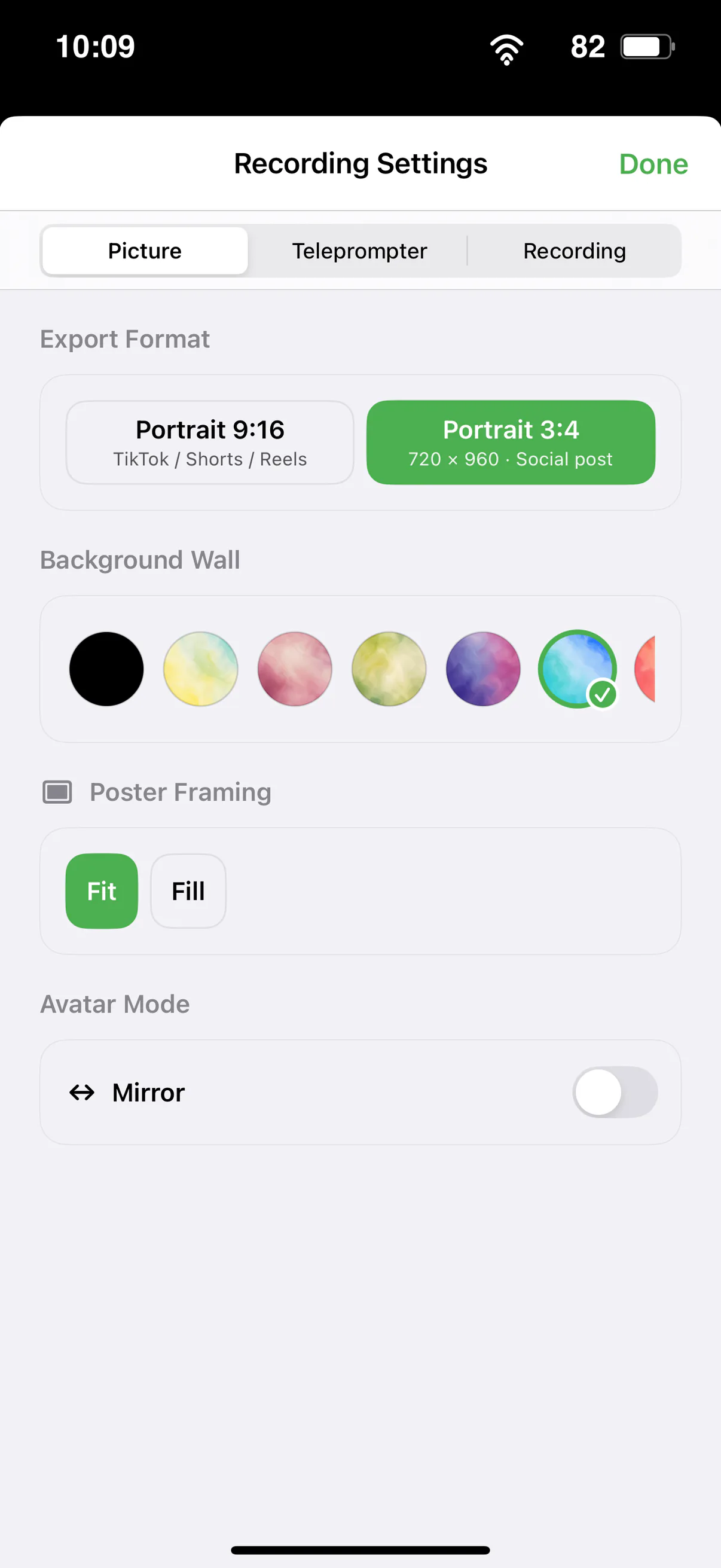
Export format, background, poster framing, and mirror all live on one sheet, remembered per script.
Files and formats you can bring in
Scripts can start as blank pages or as documents you already have. PDF, Word (.docx), and TXT files import into the script editor, where you can trim, reorder, and color-code them before recording. For picture-in-picture recordings, you pick a built-in poster template or a video from your photo library as the main visual you explain on camera.
If your source material is a slide deck or a long PDF, the PDF teleprompter workflow turns its text into a clean spoken script, and a screen recording of the deck can play as your poster video while you talk.
Works on iPhone and iPad
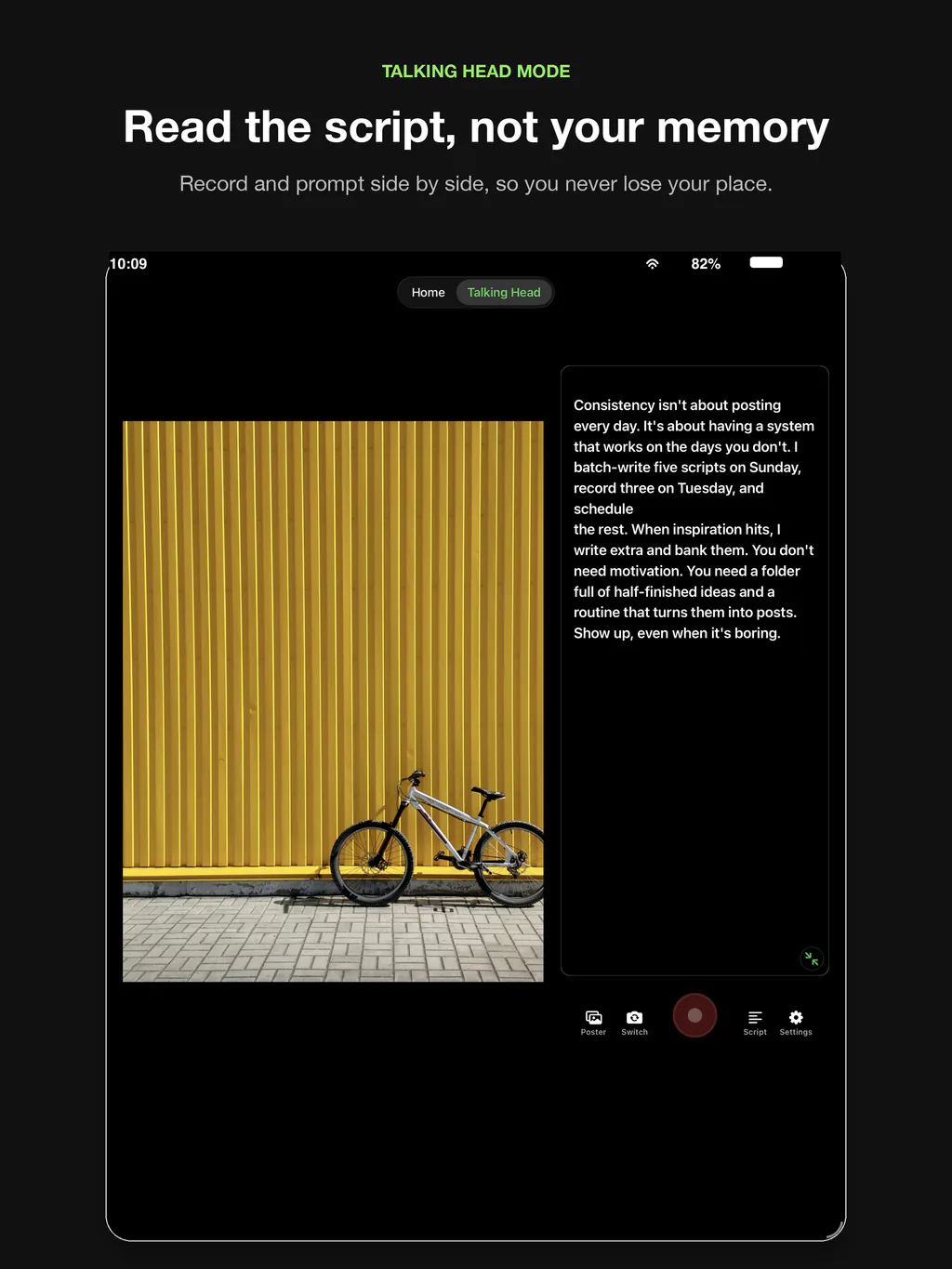
The app runs on iPhone and iPad with iOS 18 or later, including iPhone XR and iPhone SE (2nd generation) or newer. On iPad you get a wider prompt and room for side-by-side reading, which suits longer lessons. See the dedicated pages for teleprompter for iPhone and teleprompter for iPad for setup notes.
Teleprompter app FAQ
Is AI Teleprompter free?
The download is free, but the app is paid. You start with a 3-day free trial on the weekly plan, then keep the full feature set with a weekly plan, a monthly plan, or a one-time lifetime purchase.
Which file formats can I import?
You can create scripts from scratch or import PDF, Word (.docx), and TXT files. Picture-in-picture recordings use built-in poster templates or videos from your photo library as the main visual.
Does the prompt appear in the recorded video?
No. The prompt is a private overlay for the speaker. Exported videos contain only the camera picture and any poster material you chose to show.
Can I control the scroll speed manually?
Yes. Besides Voice Sync, you can use fixed-speed automatic scrolling between 0.5x and 1.5x, or pause and move the script manually at any time.
Does it work on both iPhone and iPad?
Yes, one app supports both devices with layouts adapted to each screen. It requires iOS 18 or iPadOS 18 or later.




Record your next video with AI Teleprompter
Download on the App Store and check the available trial. Record inside the app to export your video without the prompt.