Autocue
A voice-controlled autocue app that keeps pace with you
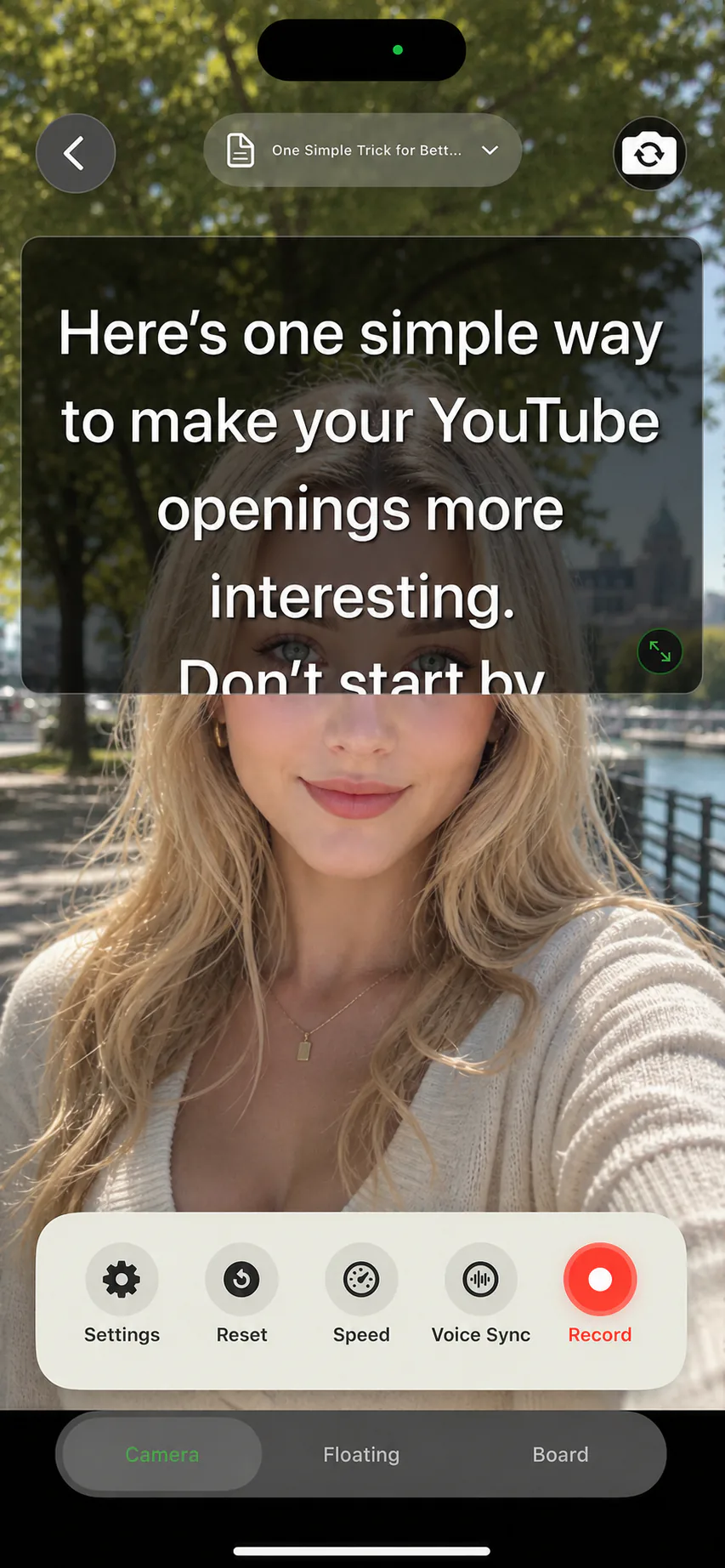
In the UK you probably know it as an autocue: the screen that scrolls a script while a presenter reads to camera. AI Teleprompter puts that autocue on your iPhone or iPad, no camera hardware or studio rig required. Import your script, let Voice Sync scroll as you speak, and record a finished video in the same app.
Last reviewed
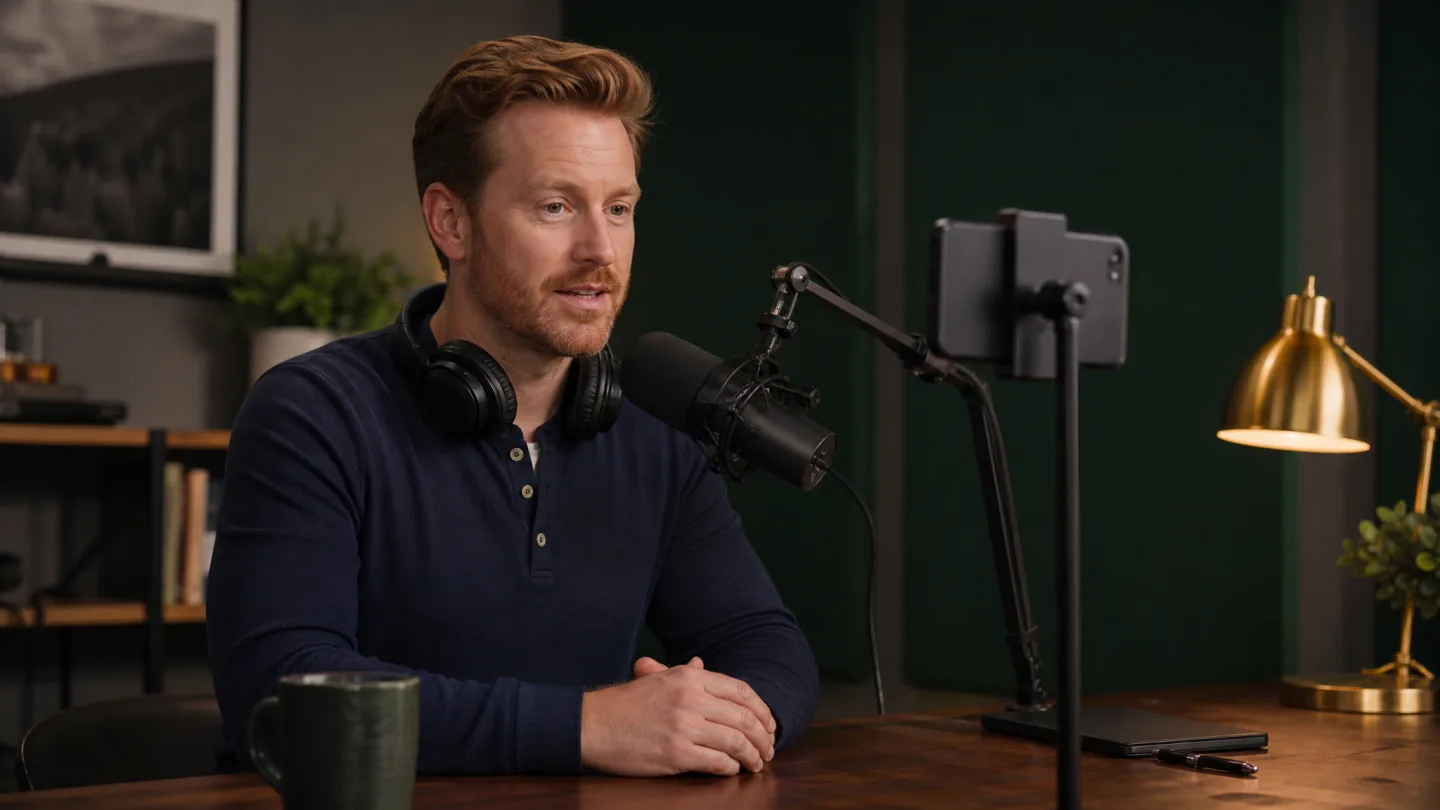
Autocue or teleprompter?
They are the same tool under different names. Autocue is the word most people use in Britain and Australia, after the company that popularised it; teleprompter is the American equivalent. Either way, the job is identical: keep a script moving in front of the lens so you can read without looking away.
AI Teleprompter is a software autocue for the phone you already own. There is no beam-splitter glass, no camera-mounted hood, and no operator. The script appears on your iPhone or iPad screen, close to the camera, and scrolls at the pace of your voice. For a deeper comparison of the terms and hardware, read teleprompter vs autocue.
What a phone autocue can and cannot do
A phone autocue covers what most solo creators actually need: a readable script near the lens, speed that adapts to you, and a way to record the take. It does not replace a studio autocue for broadcast rigs, and this app does not sell or drive any physical autocue hardware.
Because the autocue and the recorder are the same app, there is no second device to sync and no screen recording workaround. You read your lines privately, and the exported video contains only you and your chosen visuals.
- Import scripts from PDF, Word, or TXT documents
- Voice Sync scrolling that follows your speech and waits on pauses
- Fixed-speed and manual scrolling when you prefer them
- Record direct-to-camera or over poster templates and video material
- Mirror mode for reading through reflective setups
The prompt board, without a camera

Who uses a mobile autocue
Presenters and trainers
Record talks, updates, and training clips without memorising. The presentation recorder workflow covers on-screen material plus private prompting.
Course creators
Lessons need accuracy more than improvisation. Read structured scripts while your poster material stays on screen. See the course video recorder.
YouTubers
Hooks and CTAs benefit from exact wording. Read them cleanly, improvise the middle, and keep eye contact. More in teleprompter for YouTube.
Sales and demos
Walk prospects through a product with a tight script and no visible notes. The demo recorder page shows the flow.
Set up your phone autocue in one minute
Add your script
Create a new script or import an existing document. Short lines read more naturally, so break long sentences where you want to breathe.
Choose Voice Sync
The autocue follows your voice instead of a fixed clock. Pause to think and the text waits with you.
Place the prompt near the lens
In camera prompting mode the script sits over the preview, close to the camera, so your eyes stay on the audience.
Record and export
Stop, preview, retake if needed, and save. The prompt never appears in the exported video.
Autocue app FAQ
Is an autocue the same as a teleprompter?
Yes. Autocue is the common British term and teleprompter the American one, both named after early manufacturers. Functionally they describe the same thing: a scrolling script a speaker reads while looking toward the audience or camera.
Can I use my phone as an autocue?
Yes. AI Teleprompter turns an iPhone or iPad into a complete autocue: script import, voice-controlled scrolling, and recording in one app. No extra hardware is required.
Does the autocue scroll with my voice?
Yes. Voice Sync follows your reading, waits when you pause, and resumes when you continue. Fixed-speed and manual scrolling are also available. Details are on the voice-activated teleprompter page.
Is there a free autocue I can try first?
The browser autocue on this site is free and needs no account. It scrolls at a fixed speed you set. The app is what you want when the scroll should follow your voice and the video should be recorded in the same place.
Do I need autocue hardware as well?
Not for solo recording. A phone at arm length on a small tripod puts the script close enough to the lens that your eye movement stays invisible. If you already own beam-splitter glass, mirror mode flips the text to read correctly through it.
Can I import a PDF or Word document?
Yes. PDF, Word (.docx), and TXT files import directly into the script editor, where you can adjust layout, text size, and colours before recording.
Will the script appear in the recorded video?
No. The prompt is a private overlay for you as the speaker. Exported videos show only the camera picture and any poster material you deliberately included.



Record your next video with AI Teleprompter
Download on the App Store and check the available trial. Record inside the app to export your video without the prompt.