Download
Download AI Teleprompter
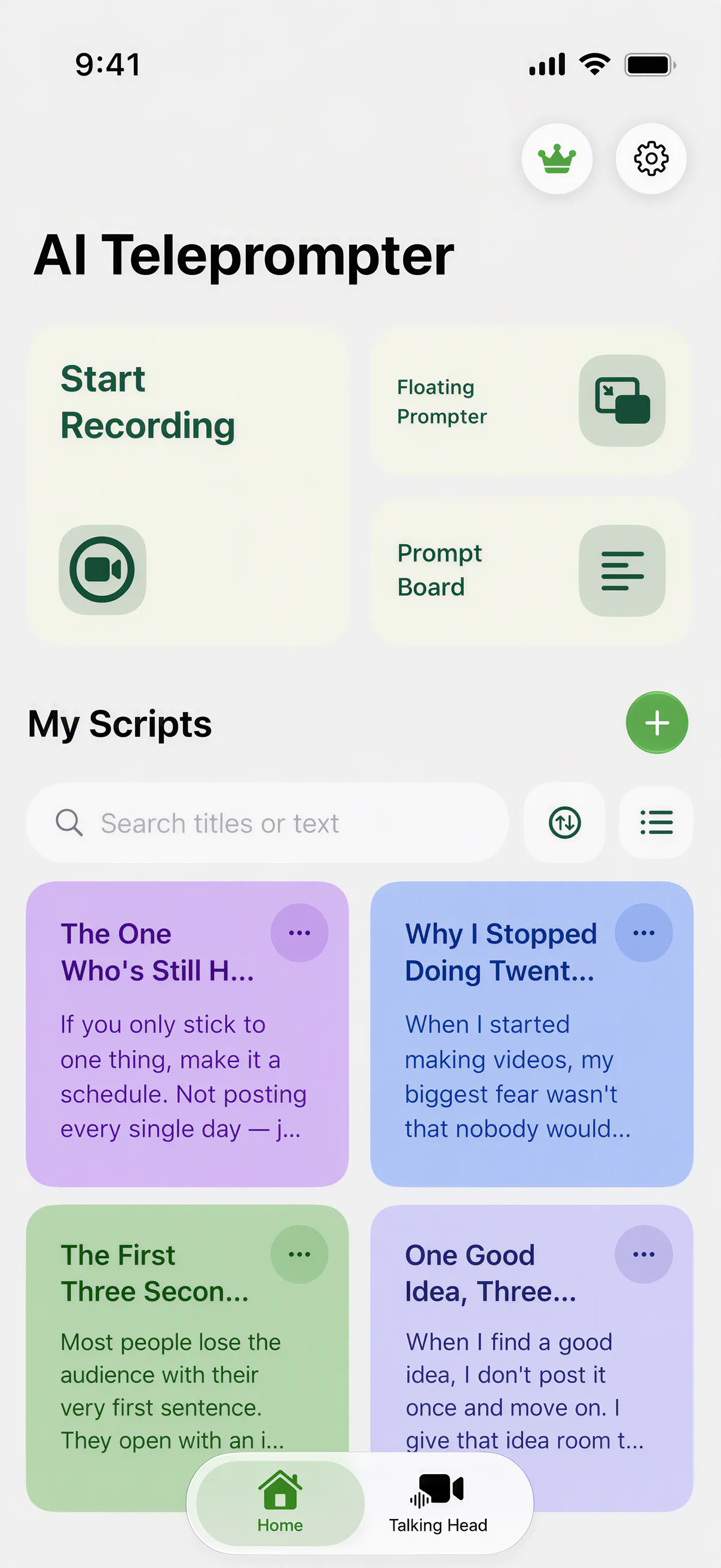
One app for iPhone and iPad that imports your scripts, scrolls them at the speed of your voice, and records videos where the prompt never appears. 3-day free trial.
Last reviewed
Before you choose a plan
A free download does not mean every feature is free forever. Check trial eligibility, renewal price, billing period and lifetime-purchase terms in the current App Store and in-app purchase screens before accepting.
If you only need to paste and scroll a script at a fixed speed, start with the free online teleprompter. Choose the app when you need mobile recording, voice following or visual explanations.
What you get on day one
Voice-following prompts
Voice Sync scrolls with your speech and waits through pauses, with fixed-speed and manual modes included.
Real recording modes
Direct-to-camera, poster explanation, floating overlay, and prompt board. In-app exports exclude the prompt; screen recording with other apps needs a separate capture check.
Document import
PDF, Word, and TXT files become scripts; poster templates and videos become the pages you present on camera.
Honest pricing
Free download and a 3-day free trial. After that, keep going weekly, monthly, or with a one-time lifetime purchase.
Compatibility
Requires iOS 18 or iPadOS 18 or later. That covers iPhone XR, iPhone SE (2nd generation), and every newer iPhone, plus iPad (8th generation), iPad Air (3rd generation), iPad mini (5th generation), and supported iPad Pro models. See the iPhone and iPad pages for setup notes.

Your first five minutes
Nothing to configure and no account to create. The fastest way in is to bring a script you already have.
Bring a script
Write one in the app, or import a PDF, Word, or TXT file you already wrote. Imported text lands in the editor where you can trim and reorder it.
Set three things
Font size, margins, and scroll mode. Pick Voice Sync unless the script is already rehearsed to a fixed rhythm.
Choose how you appear
Direct to camera, or picture-in-picture with a poster or a video as the main visual and your face in a small window.
Record and save
Preview the take before you keep it. The prompt is never part of the export, so the finished video is just you and your material.
Which plan fits
The app is free to download and opens with a 3-day free trial. After the trial you need a plan to keep recording. Every plan unlocks the same feature set; the only difference is how long you keep it.
| Plan | Fits when | Notes |
|---|---|---|
| Weekly | You have one shoot coming up, or you want to try the app first | Starts with a 3-day free trial, then renews weekly |
| Monthly | You record on a regular schedule | Renews until you cancel in your App Store settings |
| Lifetime | Recording is part of how you work and you would rather pay once | One-time purchase, no renewal |
Current prices are shown on the App Store listing, in your local currency.
Before you download
Is the app free?
The download is free and no account is required, but the app itself is paid. You start with a 3-day free trial on the weekly plan, and after that you need a weekly plan, a monthly plan, or a one-time lifetime purchase to keep recording.
Is there an Android or desktop version?
Not today. The app is iOS and iPadOS only. On other devices, the free browser teleprompter covers fixed-speed scrolling.
How do I cancel a subscription?
Subscriptions are managed and cancelled in your App Store account settings, the same place as every other subscription on your device.
Will my scripts be uploaded?
Scripts, recordings, and speech recognition are processed primarily on your device. The details are in the privacy policy.
Not ready to install?
Try the free browser teleprompter for instant full-screen scrolling with no download, or measure your next script with the speaking time calculator. When you want the script to follow your voice and record in the same place, the app is waiting.





Record your next video with AI Teleprompter
Download on the App Store and check the available trial. Record inside the app to export your video without the prompt.