Feature
Record videos without losing your place
The hardest part of recording yourself is not the camera, it is the script. AI Teleprompter keeps your lines moving beside the lens while you speak, so you can finish videos in fewer takes, keep your eyes on the audience, and never let the prompt leak into the final cut.
Last reviewed
What changes when the script follows you
A teleprompter for video work is measured by results in the edit, not features in a list.
Stay on camera
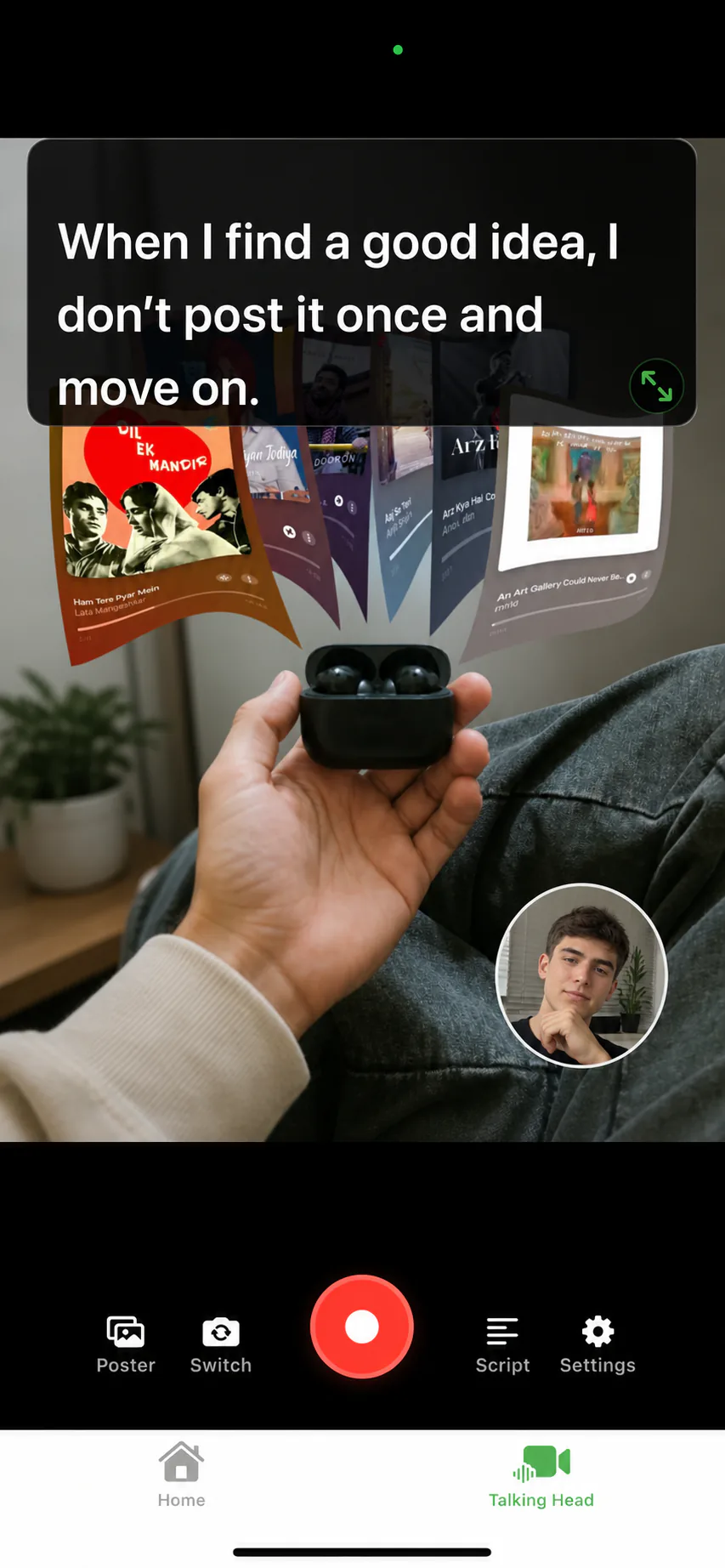
The prompt sits over the camera preview or beside your material, near the lens. Your gaze stays within a few degrees of the audience instead of dropping to notes.
Finish in fewer takes
Voice Sync keeps the script and your speech aligned, so pauses no longer force a restart. Most retakes come from wanting a better take, not from losing your place.
Keep prompts private
The script is an overlay for you alone. Exported videos contain the camera picture and the poster material you chose, never your lines.
Add visual material
Poster templates and videos become the pages you explain while recording. Your face can lead or sit in a small window, per page.
Export and share
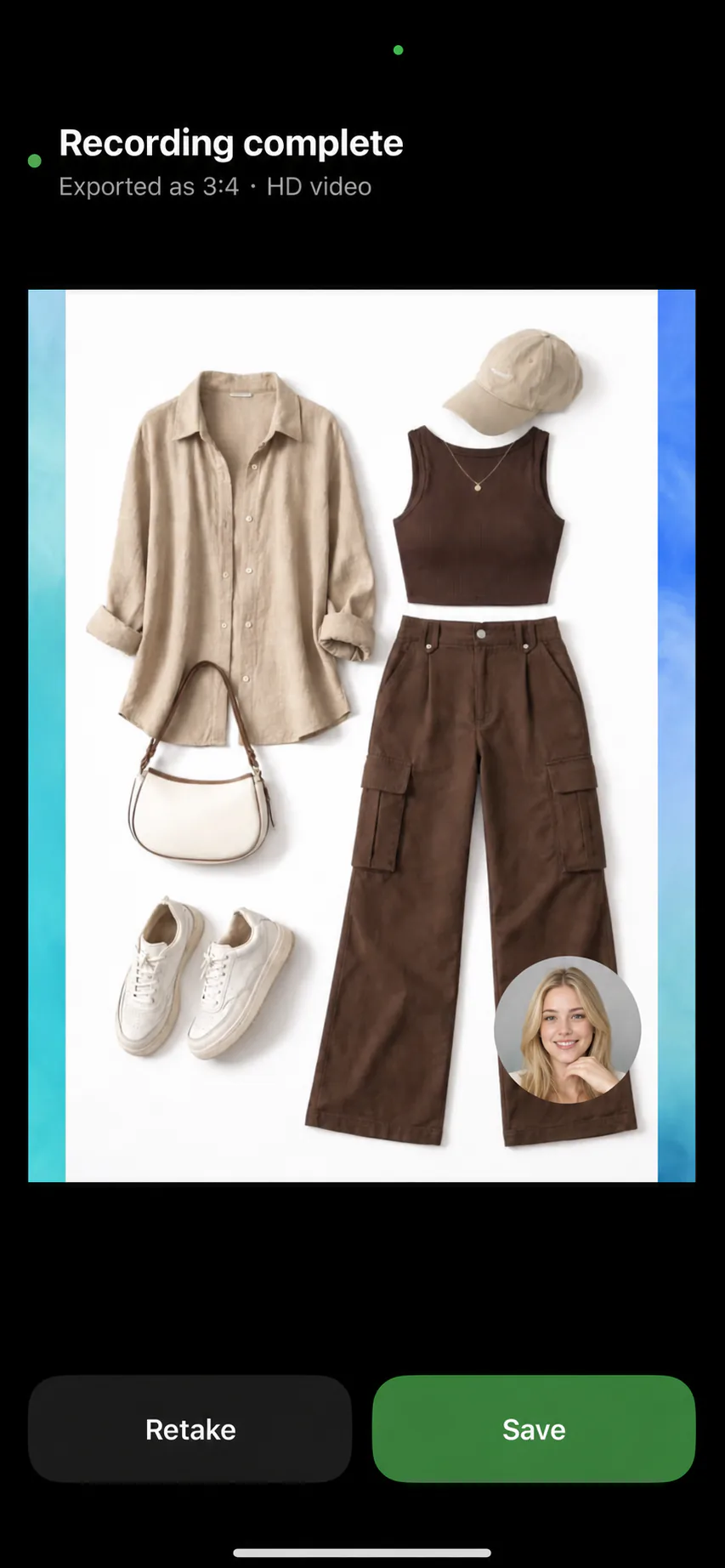
Preview the take, pick portrait 9:16 or 3:4 output, and save to your photo library, ready for TikTok, Shorts, Reels, or your course platform.
Float over any app
Recording in another app? The floating teleprompter keeps the script above it, so you are not locked into one recorder.
Built for the videos people actually record
Talking-head intros, course lessons, product walkthroughs, sales follow-ups, conference talk rehearsals, and social clips share one requirement: say the right words without sounding like you are reading. That is exactly the gap a voice-following prompt closes.
For talking-head formats specifically, the talking-head video recorder page covers framing, poster layouts, and export options. If your videos teach something, the course video recorder workflow adds chapter structure and slide-style material.
From script to posted video
Write or import the script
Bring in a PDF, Word, or TXT document, or draft directly in the editor. Short lines and spoken wording read best on camera.
Choose what the camera sees
Record yourself full-frame, or make a poster template or a video the main visual with your face in a camera bubble.
Read at your pace
Voice Sync follows your speech. Pause for emphasis or to change material, and the script waits.
Save and publish
Preview, retake if you want a better run, and export in the aspect ratio your platform expects. The prompt stays out of the video.
Delivery tips that make scripted video sound natural
Write for the mouth, not the page: contractions, short sentences, and one idea per line. Position the prompt as close to the lens as your device allows, and stand far enough back that your eye movements stay small. Our guides on reading a script while recording and speed and eye contact go deeper with concrete drills.
Teleprompter for video FAQ
Can I record video and read a teleprompter at the same time?
Yes, that is the core workflow. The prompt scrolls over the camera preview or beside your material while the app records, and the exported video never includes the prompt.
What video formats can I export?
Portrait 9:16 for TikTok, Shorts, and Reels, and portrait 3:4 for social posts, exported in HD and saved to your photo library.
Can I show material on screen while I talk?
Yes. A poster template or a video can be the main visual while your face appears in a small camera bubble, which suits lessons and presentations. A screen recording of your slides works well as that video. See the presentation recorder page.
Do I need extra hardware like a beam splitter?
No. The prompt displays on the iPhone or iPad screen near the camera. For reflective rigs, a mirror mode flips the text for glass setups.




Record your next video with AI Teleprompter
Download on the App Store and check the available trial. Record inside the app to export your video without the prompt.