Features
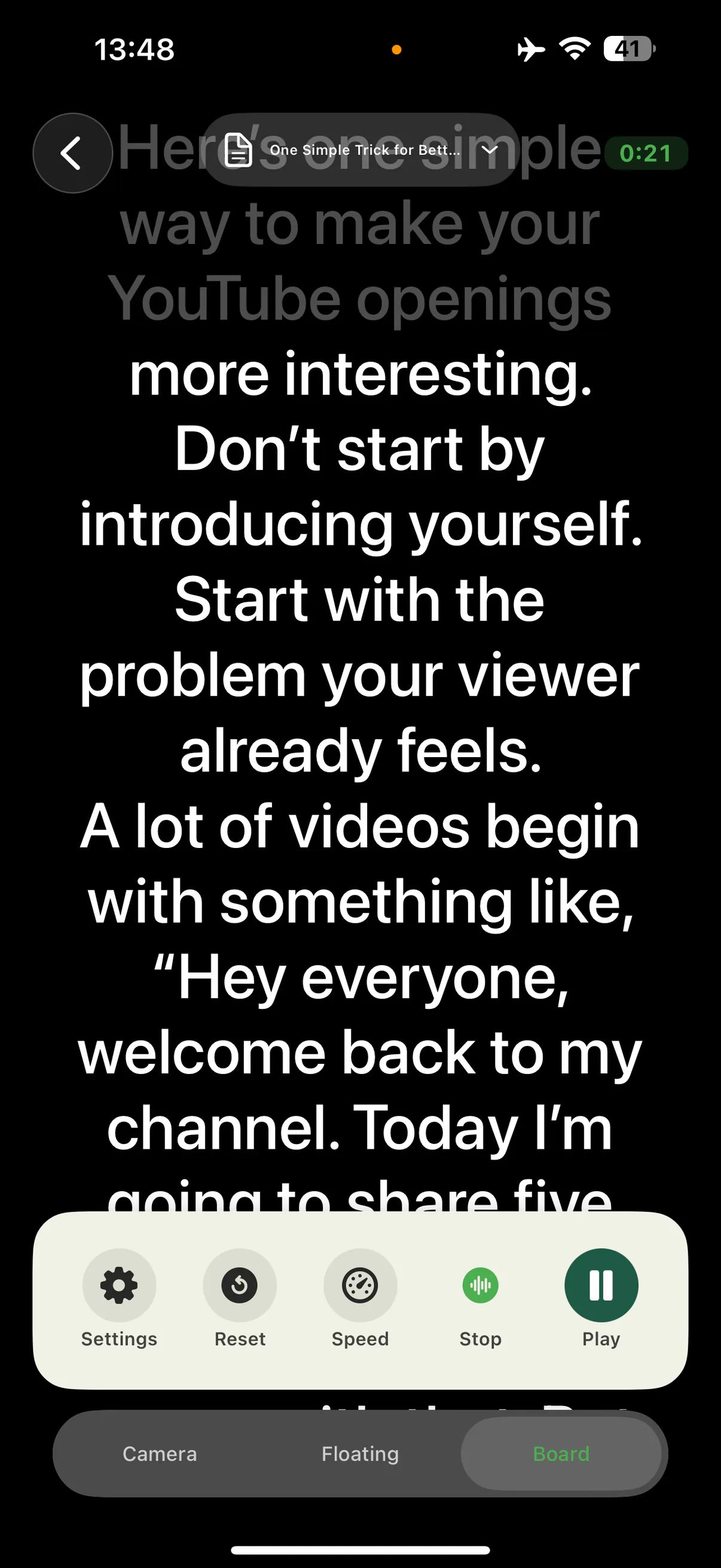
Your talking points, on screen while you are live
A live stream has no second take. Prices, product specs, giveaway rules and the wording you promised to use are easy to lose once a comment pulls you off track. AI Teleprompter puts your talking points in a floating prompt that sits above your streaming app and moves at the pace you speak, so after every interruption one glance tells you where you were.
Last reviewed

What a live stream actually needs from a prompter
First, the facts you cannot get wrong. Prices, sizes, offer terms and return policy cost far more when misspoken than a sentence that comes out a little rough. Write them as short lines you can catch with a glance.
Second, a way back after an interruption. The chat sets the rhythm of a stream. When you answer a question and return to the main thread, finding your place from memory is slow. With the script in view it takes a second.
Third, steady output over a long session. Streams often run past an hour, and energy in the middle is not what it was at the start. A script underneath you cuts the dead air.
- Break talking points into short lines, one fact per line
- Mark hard facts such as prices, specs and rules so they stand out
- Write one transition line per segment so you can return from chat
- Read through once in prompt board mode before going live to check the text size
Four steps before you go live
Write lines you can scan
You will not read a stream word for word. The script is a cue sheet, so put one point on each line and keep sentences short.
Open the floating prompt
Choose the floating teleprompter in AI Teleprompter, drag the window close to the front camera, and resize it until the text is easy to read.
Record a short test
Make sure you are going live with the camera, not with a screen broadcast or screen share. If you are not sure which mode your app uses, run a short private test and watch it back.
Switch modes as the stream moves
Use Voice Sync for the planned segments. Pause it during open Q&A and resume when you return to the run of show.
Frequently asked questions
Will viewers see my teleprompter?
Not on a camera live stream. The streaming app sends the picture it takes from the camera, and the floating prompt is a separate window outside it. If you broadcast or share your screen instead, the whole screen goes out and viewers see the prompt.
Can I switch scripts in the middle of a stream?
Yes. The script library supports search and color labels, and several short scripts, one per segment, are easier to switch between than one long script.
Does Voice Sync work during a live stream?
It works best in a quiet room when you speak the planned talking points. During long unscripted chat, pause it and resume when you return to the script.
What if I am recording, not streaming?
If the final output is an edited video rather than a live broadcast, the in-app talking-head recorder is the better fit, and the prompt never appears in the export.

Record your next video with AI Teleprompter
Download on the App Store and check the available trial. Record inside the app to export your video without the prompt.