Selection guide
PromptSmart or AI Teleprompter: choose by workflow
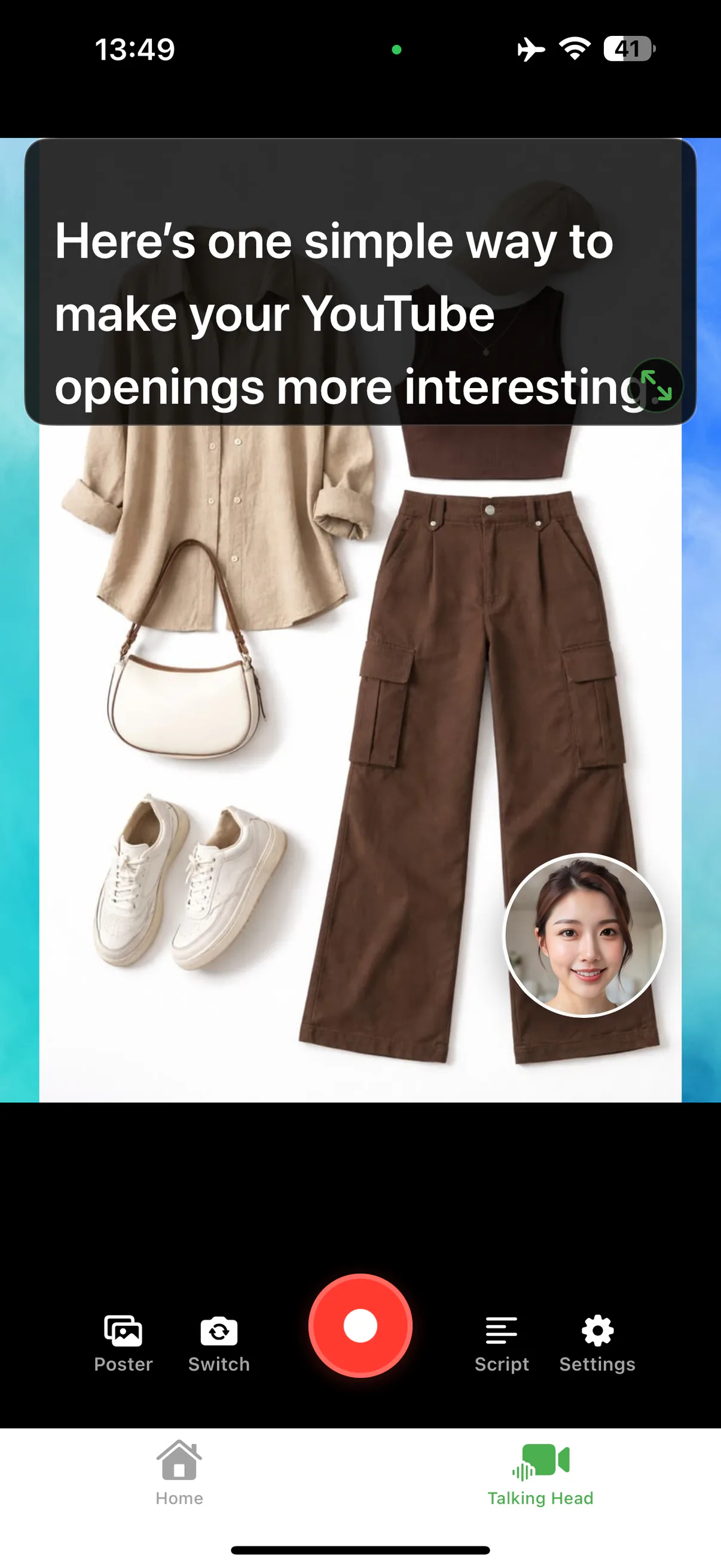
Both apps follow your voice, so the choice comes down to what happens around the script. AI Teleprompter is the fit when you want a document or a poster behind you with a camera bubble on iPhone or iPad. PromptSmart is the fit when a second person operates the prompt or a script has to move across devices. Compare one real script, not a feature list.
Last reviewed
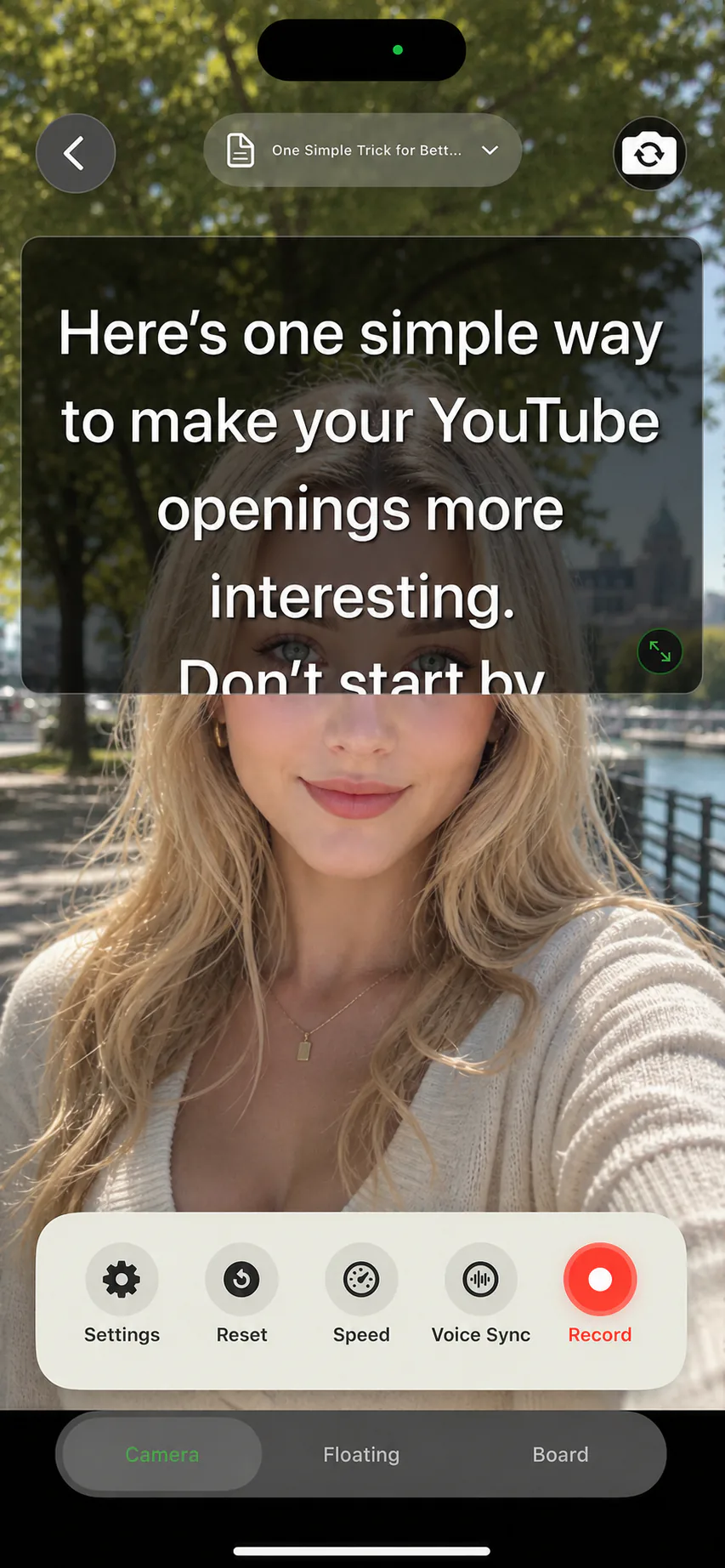
Documented workflow differences
This compares documented workflows, not measured performance.
| Task | PromptSmart | AI Teleprompter |
|---|---|---|
| Speech processing | Official documentation describes local VoiceTrack processing. | Voice Sync follows the script; verify your required language and offline workflow. |
| Presentation control | Official documentation includes remote presentation controls. | Evaluate the mobile recording workflow; do not assume the same remote setup. |
| Selection question | Does an operator or another device control your presentation? | Are you recording yourself explaining images or other material on iPhone or iPad? |
What this comparison is based on
Published by the makers of AI Teleprompter. Reviewed September 13, 2026 using public product documentation, not a hands-on performance benchmark. PromptSmart describes local VoiceTrack processing and remote presentation controls. Availability and plans can change.
Choose around the job you need to finish
| Your requirement | How to decide |
|---|---|
| Voice-following mobile recording | Try pauses, repeated lines and a restart with your own script. Check the language you speak. |
| A visual explanation with your face | Try AI Teleprompter with one image and a short script. Check that the face bubble leaves the important content readable. |
| Editing, captions or coordinated production | Keep any required tools in the comparison. AI Teleprompter does not replace a complete post-production workflow. |
| Price and free access | Compare the current in-app offer and total workflow cost; no fixed price is quoted here. |
Remote operation changes the decision
A solo phone recording and an operator-controlled presentation are different tasks. Write down who starts the prompt, who changes the script and which device records before comparing products.
Try a small migration before moving your library
Save a neutral copy
Keep your original script in a format you can edit independently. Do not delete the source library.
Use the same short take
Read the same passage with a pause, a repeated sentence and one visual. Check readability and control without scoring untested performance.
Inspect the finished video
Save and replay it outside the editor. Decide whether the recording and any remaining editing steps fit your normal work.
When AI Teleprompter is a fit
Consider it when you want to speak from a prepared script while showing material on iPhone or iPad. If you need only a fixed-speed script, try the free web teleprompter first. For subscriptions and device requirements, check the download page.
Prepare your recording in AI Teleprompter
This shows AI Teleprompter, not a competitor test result.
Questions before you switch
Do both apps follow your voice?
Both describe voice-following scrolling as a core feature, so the comparison is about how each handles pauses, repeated lines, and restarts in your language. Test those three cases with your own script.
What changes if someone else runs the prompter?
Remote operation moves the decision. If a second person drives the scroll from another device, that capability matters more than how well either app follows a voice.
Can I try before paying?
AI Teleprompter is free to download and opens with a 3-day trial, which is enough for one matched test recording. Check the current terms on the App Store before a plan renews.




Try a short take with your own script
Complete one recording that matches your task before choosing a plan. Check current device requirements and purchase terms on the App Store.